
Configuring a time-based route
Clicking to create a new time route, or clicking on an existing time-based route will allow you to configure one;
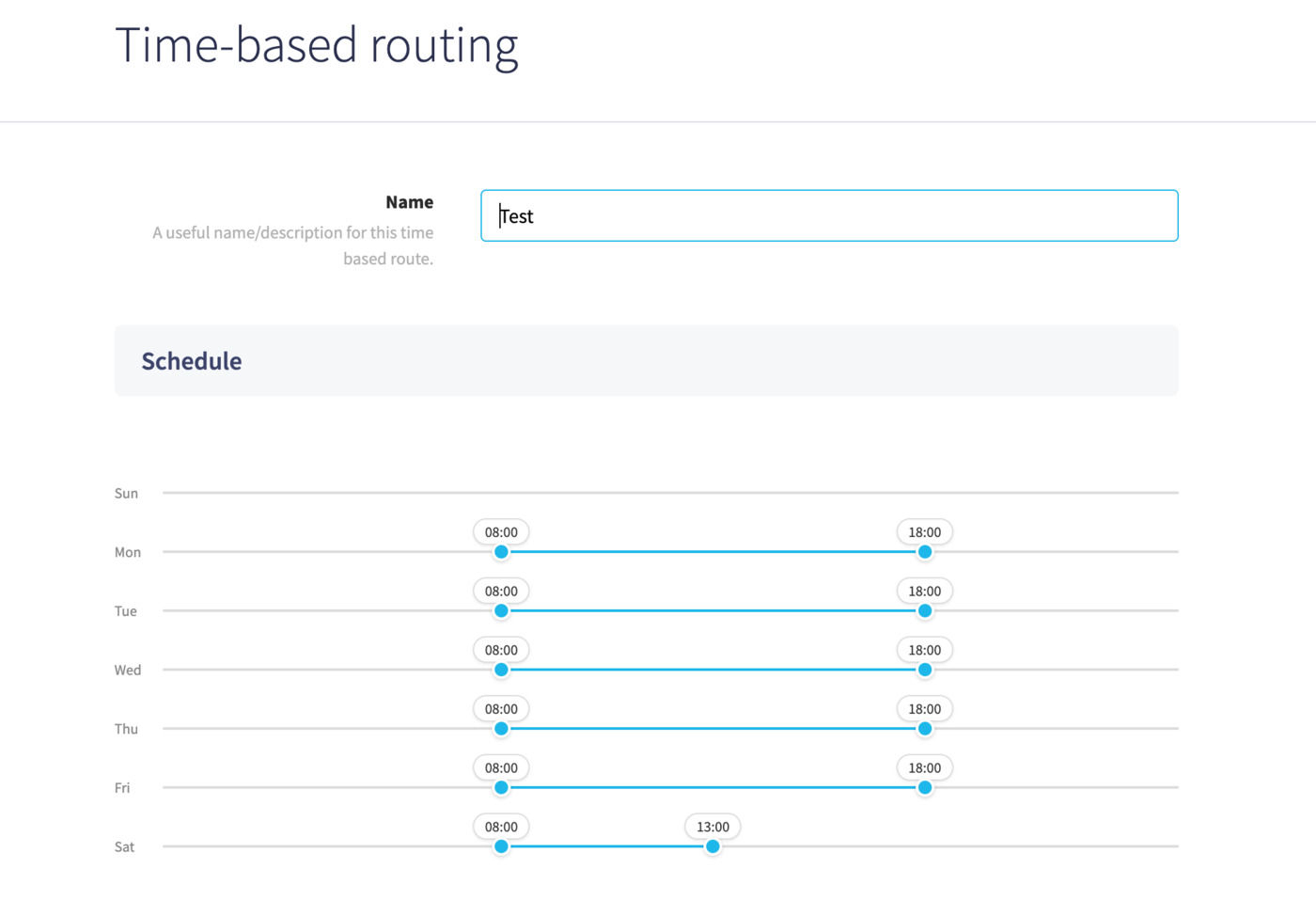
With this area you can select and drag periods for each day, as well as copy existing periods from one day to the next, for example if you wish to create a period for Monday, then copy it to the rest of the days of the week.
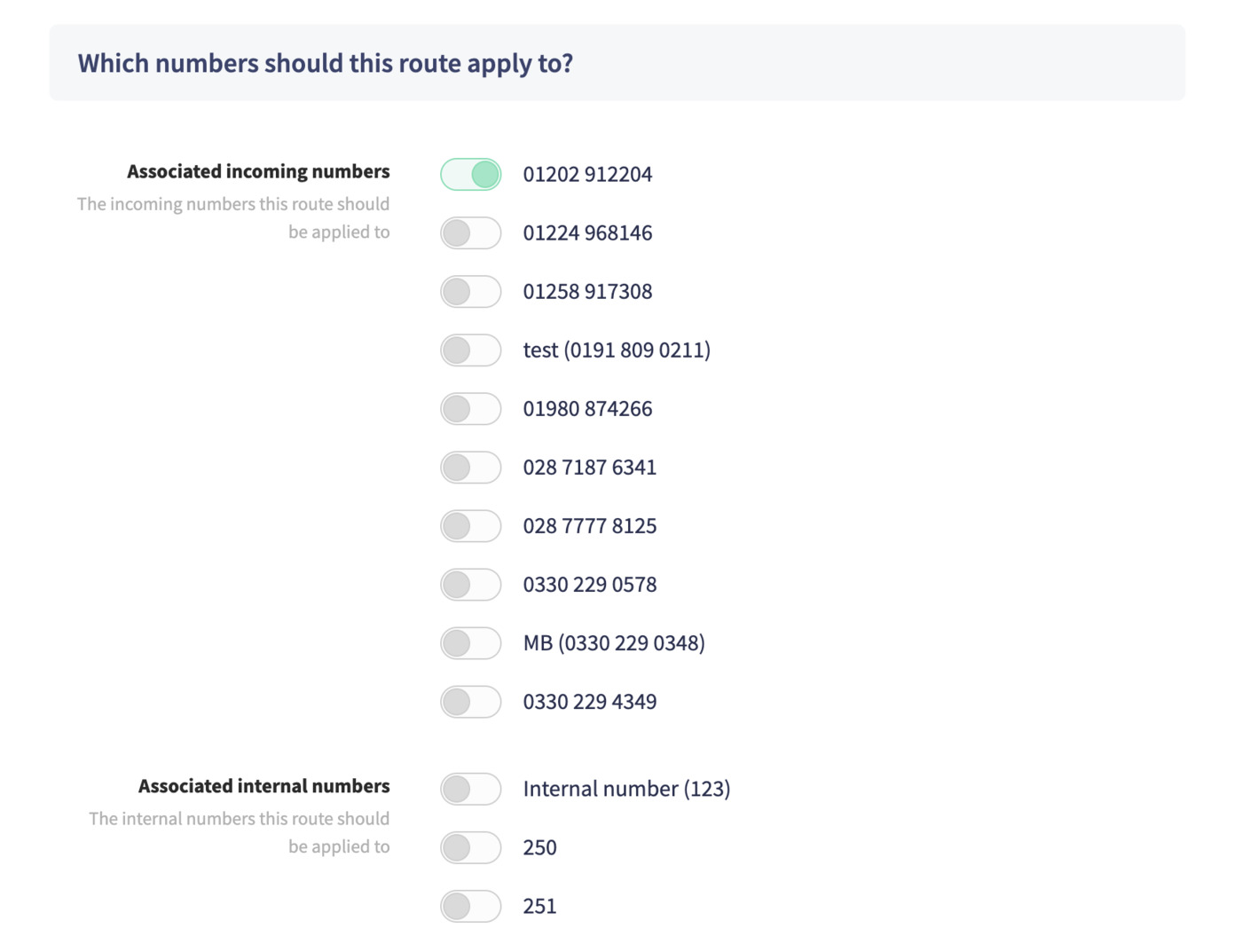
Next, you can select any numbers you wish to apply your time-route to;
Finally, you can choose any destination in your phone system to send calls to when the route is active:
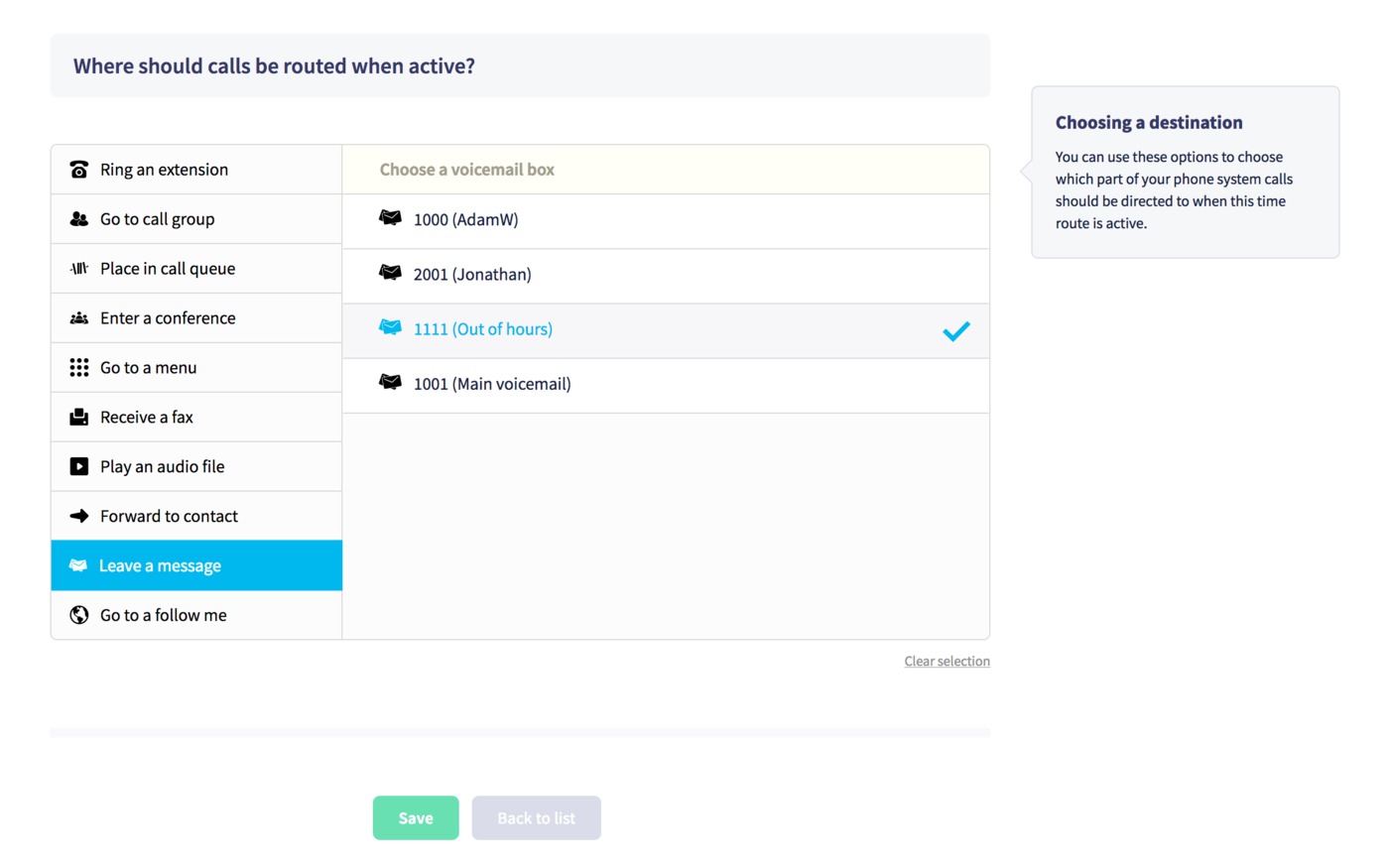
Then just click Save to finish, after which your route will automatically send calls to your chosen destination during its active hours.
Or, if you're editing an existing time route and you wish to delete it, press the Delete button.
