
Adding a new call queue
Click Create a new call queue to add a new queue to your phone system:
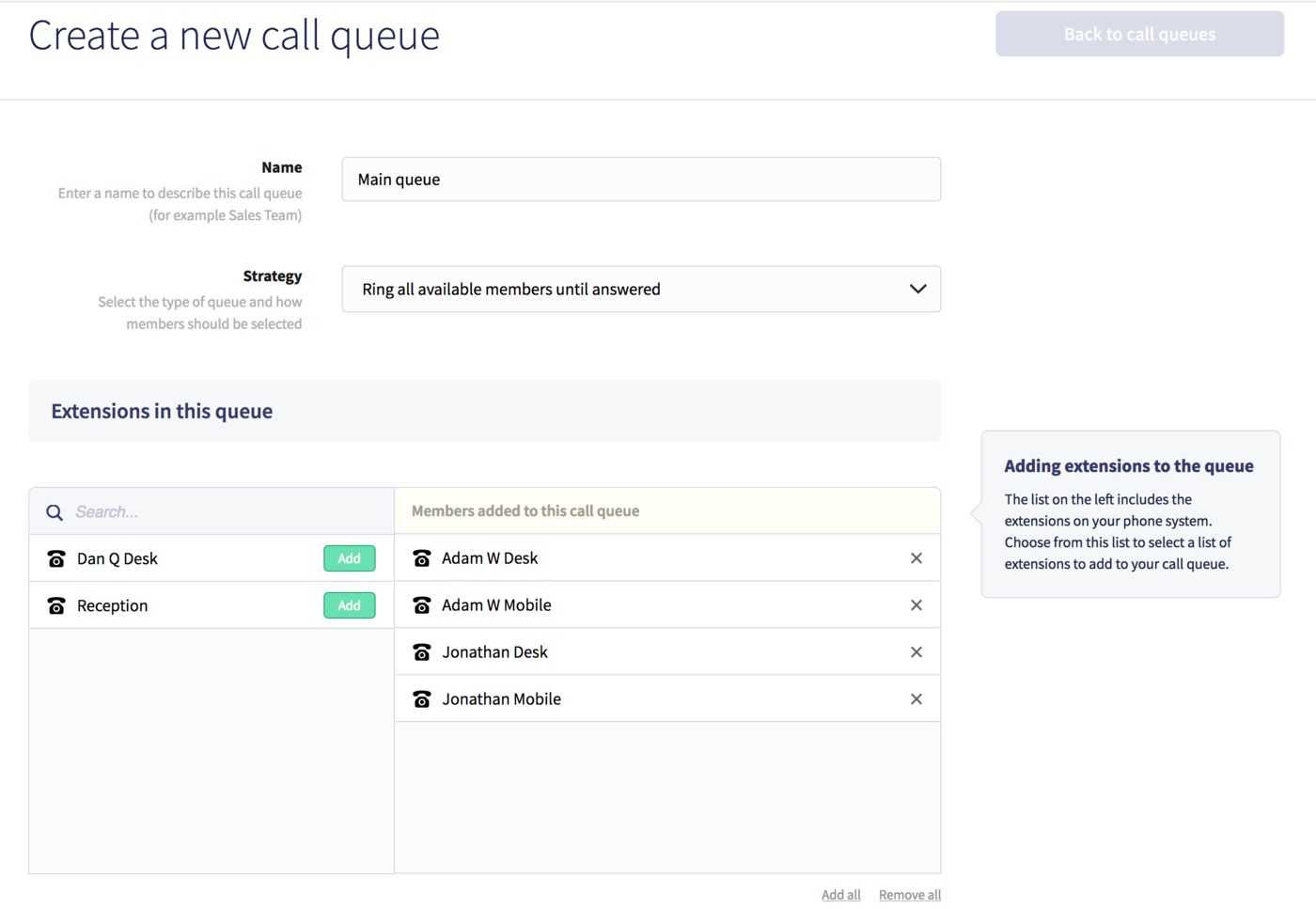
You'll just need to enter a name for the call queue, then choose a strategy for how you wish the queue to behave when a call is placed into it:
- Ring all available members until answered
- Ring each member in turn
- Ring least recently called member
- Ring member with the least completed calls
- Randomly choose a member
This will define the behaviour of the call queue in terms of how extensions are contacted.
Next, assign any existing extensions to your members list, by clicking the Add button next to a specific extension. If you have a large number of extensions in your phone system, you can search for specific extensions in the search field above the list.
Any extensions already added to the list can be removed by clicking the delete X icon to the right hand side.
Once you've finished assigning members, click Save, then you can then edit your call queue to configure further advanced settings.
