
Importing address book contacts
Within Dial 9 Connect, you can import contacts to your account by way of a CSV file. Head to Import Contacts within your Address Book, then browse to an appropriately formatted CSV file on your computer:
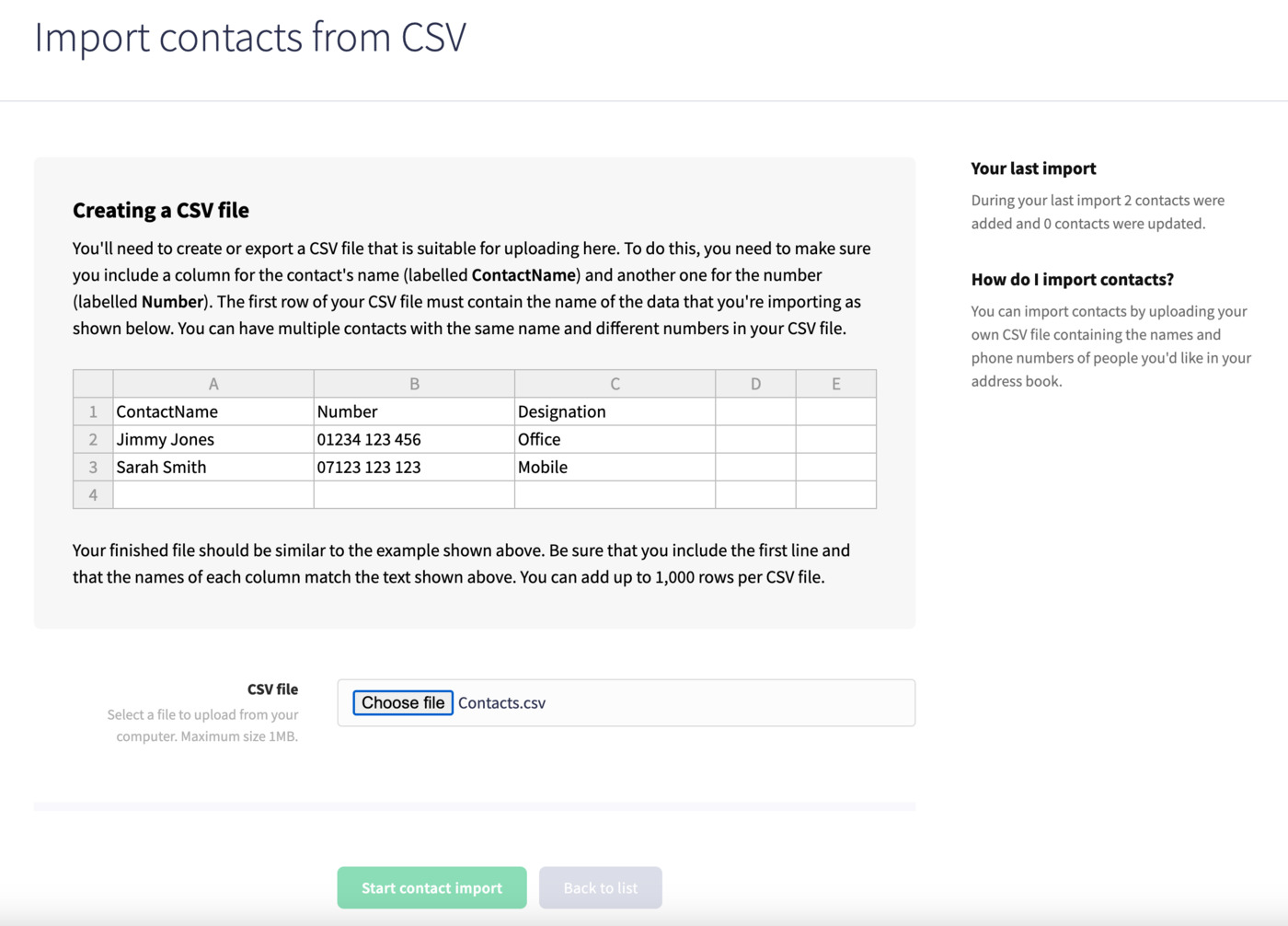
Then click Start contact import at the bottom of the page.
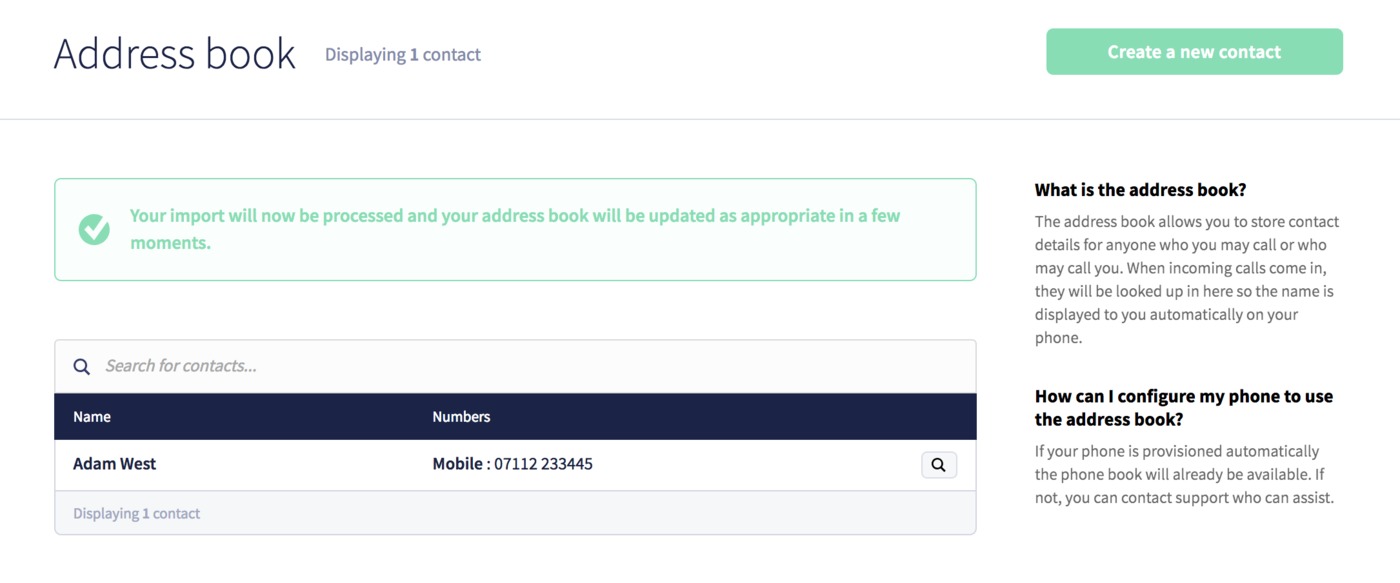
We'll process and import your address contacts and you'll see them in our list after a few moments.
