
Transactions
The transactions page allows you to view a list of all transactions that have been raised through your partner account, as well as download them as a CSV.
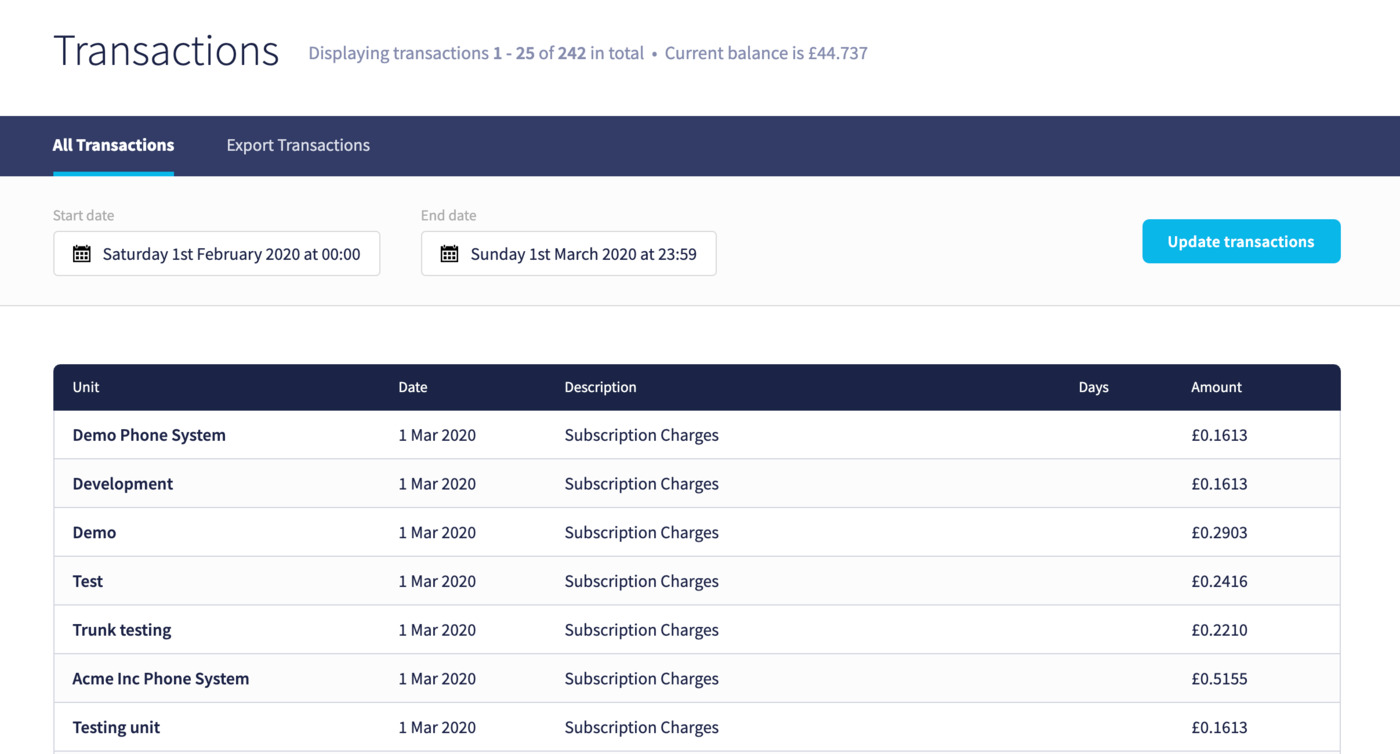
Each transaction will show the unit it was generated for, the date, a description, a number of days (if appropriate), then a debit or credit amount.
In the case of Subscription Charges that contain multiple items, you can click on the description itself to view a list of components:
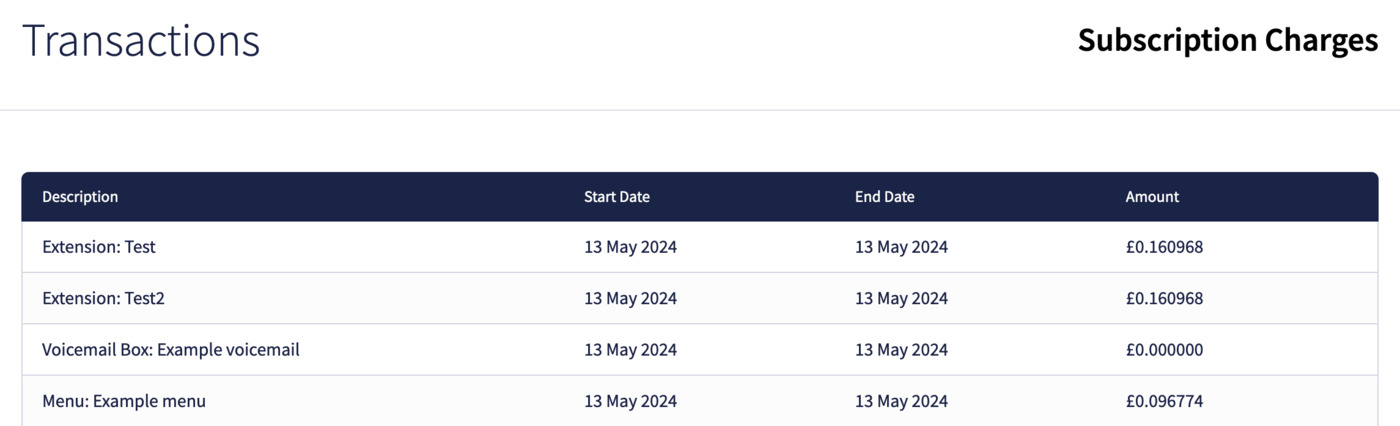
Each time will show its own description, a start and end date, then the amount.
Exporting transactions to CSV
By clicking the Export Transactions tab, you'll be able to generate an export a list of all transactions that have been raised to you as a partner. By default, the start and end date will be pre-selected to give you a full month up to today's date. You can click on either one of these dates to generate the list for a different timeframe.
The provided CSV will be in the following format:
Unit,Category,Description,Amount,Date
1,call,Call Cost (UK Mobile for 00:00:03),0.005,2020-02-13 16:49:26
1,call,Call Cost (UK Mobile for 00:00:02),0.01,2020-02-13 16:51:08
